
DESKTOP TOUR
Control widget
Follow a first session from setup and recording to a live reply, or jump straight to the workspace you need.
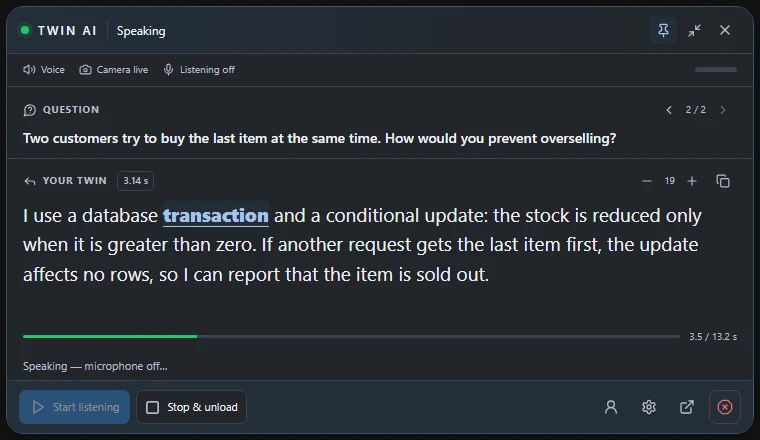
09 / 11 Control widget
Follow the reply in a small window.
The desktop widget brings the current question, generated reply, and session controls together above your other windows.
Read along
Watch the listening, processing, and playback states. During speech, the widget highlights the estimated current word.
Review a turn
Browse recent questions, copy the displayed reply, and use Back to live to follow the newest answer.
Use quick controls
Adjust text size, pin or compact the widget, prepare or stop the twin. Capture exclusion depends on the Windows capture method.
THE STUDIO
One studio. Three ways to reply.
Give your words a voice.
Record and review voice references, choose a supported speech language, and hear replies through your headset or virtual microphone.
VOICE STUDYDrag to rotate